Core Web Vitals quick wins for Next.js blogs
Hands-on fixes for LCP, CLS, and INP in Next.js with code snippets, checklists, and a fast retest flow.

Core Web Vitals for a Next.js blog are usually fixed with a few targeted changes, not a full rebuild. The goal is a fast, stable experience on real phones. This guide is a quick-win playbook with specific actions you can apply in under an hour.
What you will do
- Capture a baseline that you can compare later
- Fix the LCP element (usually a hero image or headline)
- Remove CLS by reserving space
- Reduce INP by shrinking client work
- Retest and lock in the gains
Example screenshot (illustration)
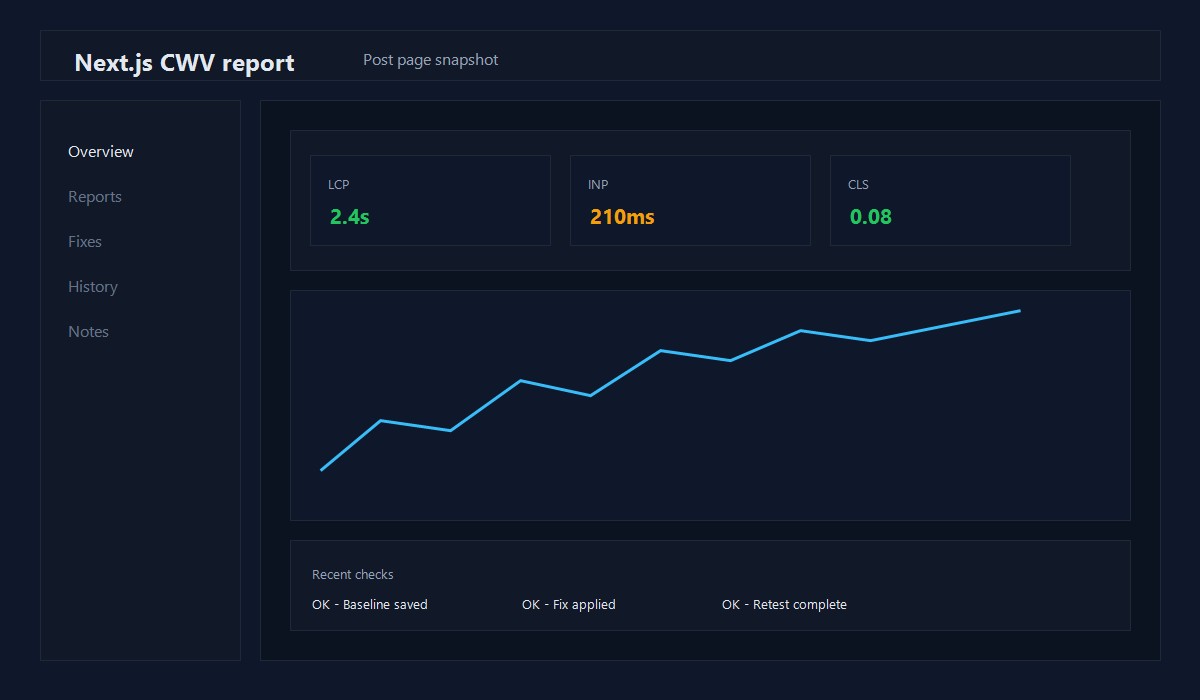
Illustration: Next.js post page performance snapshot.
Baseline in 5 minutes
- Run Lighthouse on mobile in an incognito window.
- Test a real post page, not just the homepage.
- Save the report so you can compare after changes.
If Search Console CWV and Lighthouse disagree, use Search Console to pick priorities and Lighthouse to debug.
LCP quick wins (Largest Contentful Paint)
LCP is often your hero image or the first large text block.
Fixes that usually work:
- Use
next/imagefor the LCP image - Make sure the LCP image is not lazy loaded
- Resize the image to the actual display size
- Limit heavy fonts and font weights
Example: hero image setup
import Image from 'next/image';

<Image
  src="/images/hero.jpg"
  alt="Hero"
  width={1200}
  height={630}
  priority
  sizes="(max-width: 768px) 100vw, 1200px"
/>
Font tip: Keep to 1 family and 1-2 weights. Self-host when possible.
import { Inter } from 'next/font/google';

const inter = Inter({
  subsets: ['latin'],
  display: 'swap',
  weight: ['400', '600']
});
CLS quick wins (Cumulative Layout Shift)
CLS happens when elements load without reserved space. Fix the layout first.
Checklist:
- Add width and height to all images
- Reserve a fixed height for ads and embeds
- Avoid injecting banners above the fold after load
Example: reserve space for an ad
.ad-slot {
  min-height: 250px;
}
INP quick wins (Interaction to Next Paint)
INP suffers when the main thread is busy. Make client work smaller.
Checklist:
- Keep
use clientislands small - Defer non-critical scripts
- Split heavy widgets with dynamic imports
Example: defer third-party scripts
import Script from 'next/script';

<Script src="https://example.com/widget.js" strategy="lazyOnload" />
Next.js-specific wins that add up
- Prefer static rendering for blog posts when possible
- Keep route segment loading UI minimal
- Avoid large icon fonts, use a small inline SVG
- Use server components for content and keep client widgets small
If you are on the App Router, keep client-only widgets in a small island and let the rest stream from the server.
30-minute checklist
- [ ] Run Lighthouse on a real post page
- [ ] Optimize the LCP image and set exact dimensions
- [ ] Ensure the LCP image is not lazy loaded
- [ ] Reserve space for ads and embeds
- [ ] Defer non-critical scripts
- [ ] Retest and compare to baseline
Common mistakes
- A hero image larger than the layout needs
- Lazy loading the first visible image
- Too many font weights
- Stacking multiple ads near the top
- Moving content after first paint
Retest and lock it in
Retest the same URL, same device profile, and the same Lighthouse settings. If you see improvement, save the report and keep the screenshots. Use them when you refactor later.
CLS fix example (layout stability)
If you load a banner after initial render, reserve space so content does not jump:
.hero-banner {
  min-height: 120px;
}
This single change often reduces layout shifts significantly.
Script loading matrix
- Critical: load with
beforeInteractive - Helpful but not critical:
afterInteractive - Nice-to-have:
lazyOnload
This keeps the main thread free during first paint.
Quick fix table
- LCP slow: optimize hero image, preload, reduce font weights
- CLS high: add fixed heights for ads and embeds
- INP high: reduce client-side JS and defer scripts
Measurement log template
Record results so you can prove improvement:
- URL tested
- Before scores
- Change made
- After scores
This avoids guessing and helps repeat wins.
Example performance budget
- Total page weight: under 1 MB
- Third-party scripts: 2 or fewer
- Hero image: under 200 KB
Budgets keep pages fast as the site grows.
Asset cleanup reminder
Remove unused CSS and avoid large icon fonts. Small reductions compound into better LCP and INP.
INP debugging steps
If INP stays high:
- Record a Performance trace in DevTools
- Look for long tasks over 200ms
- Split heavy components and defer scripts
Small JS reductions often make the biggest difference.
Before/after note example
Before: LCP 3.1s, CLS 0.18 After: LCP 2.2s, CLS 0.06
Writing this down helps you repeat what worked.
Original insight you can replicate
Example you can run on one existing post:
- Rewrite the first 120 words to answer the query directly.
- Add 2-3 internal links to related guides and update the title for clarity.
- Track impressions and CTR for 14 days in Search Console.
Decision rule: If CTR improves without losing impressions, roll the same pattern across similar posts.
FAQ
Do I need perfect scores to rank well?
No. Consistent, stable performance is more important than a perfect number.
Should I remove all third-party scripts?
No. Keep only the scripts that drive real value, and defer the rest.
Is Next.js always faster than WordPress?
Not automatically. The stack helps, but only if you control images, scripts, and layout shifts.
If you want a deeper performance workflow, see WordPress Performance Optimization in 2026.
Editorial note
This guide is reviewed by the WPThemeLabs editorial team and updated as tools and best practices change. See our editorial policy for how we research and maintain content.
Related Posts