WordPress Performance Optimization in 2026: Core Web Vitals Mastery
A practical, step-by-step WordPress performance playbook with real checks, fixes, and test workflows.

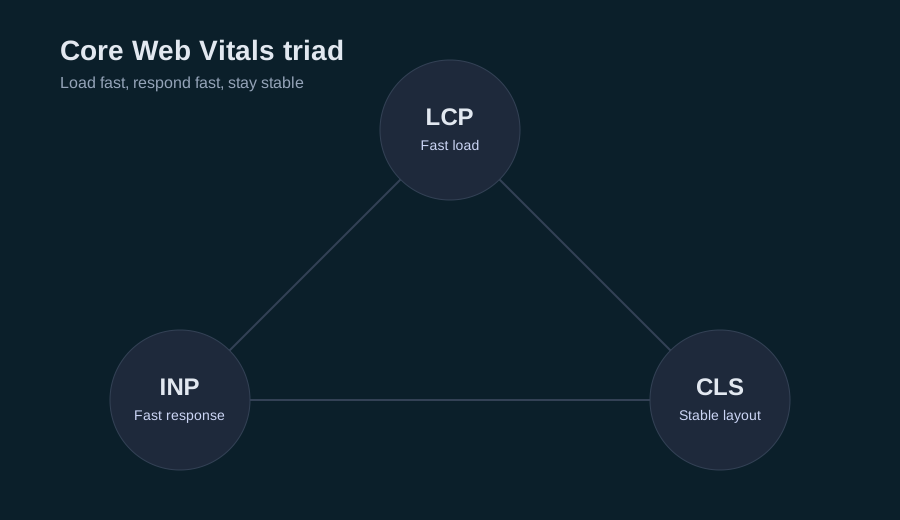
In 2026, Core Web Vitals still define the minimum performance bar for WordPress. The fastest wins come from fixing the largest element (LCP), keeping the main thread free (INP), and preventing layout shifts (CLS). This playbook shows a repeatable workflow with concrete checks you can run today.
Start with data (field first, lab second)
Field data shows what real users experience. Start here:
- Open Search Console -> Core Web Vitals
- Focus on your top templates (home, blog, post, category)
- Note the worst template first, not the best
Lab data helps you debug:
- Run Lighthouse on mobile
- Test 3 times and average the results
- Use the same device and network profile each time
If field and lab disagree, trust field data for priority and lab data for debugging.
Performance targets (confirm current thresholds)
Search Console labels pages as Good, Needs improvement, or Poor. If you want numeric targets, current guidance is:
- LCP: 2.5s or less
- INP: 200ms or less
- CLS: 0.1 or less
Re-check thresholds in Search Console because they can evolve.
Example screenshot (illustration)
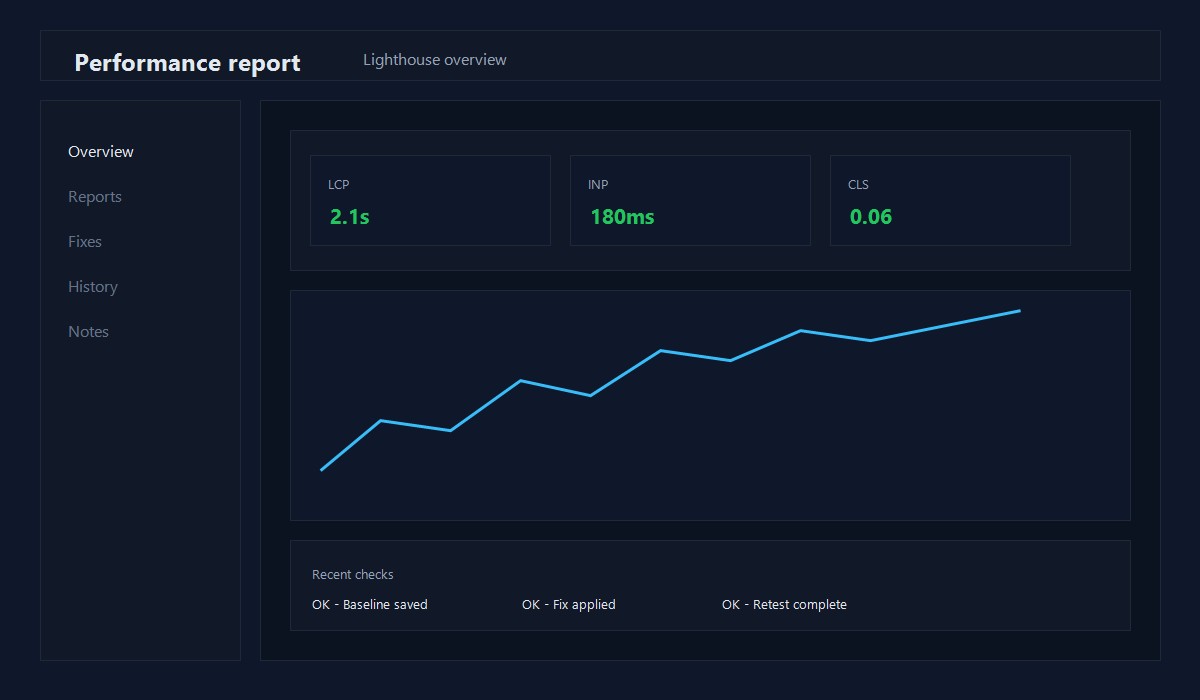
Illustration: Performance report overview (example layout).
90-minute fix plan (fast, repeatable)
0-10 min: capture baseline (screenshots + Lighthouse report)
10-30 min: fix the LCP element
30-50 min: remove or delay third-party scripts
50-70 min: eliminate CLS sources
70-90 min: enable caching and re-test
Screenshot checklist (what to capture)
- Search Console CWV report for the template
- Lighthouse report summary
- Performance waterfall showing the LCP element
- CLS overlay or layout shift regions
- Before/after filmstrip for the hero section
Store these so you can prove progress and avoid regressions.
Fix LCP (largest contentful paint)
LCP is usually a hero image, a featured image, or the first large block of text.
LCP image checklist
- Use a real image tag, not a CSS background
- Resize to the actual display size
- Compress aggressively and use WebP or AVIF
- Avoid lazy loading the LCP image
- Set explicit width and height to prevent CLS
Example: hero image fix
- Identify the LCP element in Lighthouse
- Export a version at the actual display size (not full resolution)
- Compress to a reasonable file size for mobile
- Ensure the hero image is not lazy loaded
- Re-test and confirm LCP improves
LCP text checklist
- Use 1 font family with 1-2 weights
- Self-host fonts when possible
- Preload the primary font file
- Use font-display: swap
If your LCP is a big headline, font loading is often the bottleneck.
Fix INP (interaction responsiveness)
INP suffers when heavy JavaScript blocks the main thread.
INP checklist
- Remove scripts that do not drive real value
- Defer non-critical scripts until after interaction
- Avoid heavy sliders and animations on mobile
- Break up long tasks (reduce work per click)
Example: plugin script cleanup
If a slider plugin loads on every page, restrict it to the pages that actually use it. That single change can dramatically improve INP.
Fix CLS (layout shifts)
CLS is almost always caused by assets that load without reserved space.
CLS checklist
- Set width and height for all images
- Reserve space for ads and embeds
- Avoid banners that push content down after load
- Keep font swaps from shifting layout
If you use ads, reserve space for the ad container so the page does not jump.
WordPress-specific controls
Load block assets only when needed
add_filter('should_load_separate_core_block_assets', '__return_true');
This reduces unused block CSS on pages that do not use many blocks.
Dequeue scripts and styles per template
add_action('wp_enqueue_scripts', function () {
  if (!is_page('contact')) {
    wp_dequeue_script('contact-form-7');
    wp_dequeue_style('contact-form-7');
  }
}, 99);
Only load assets where they are needed.
Images: a reliable workflow
- Export at the display size (not the full source size)
- Compress with a quality-first preset
- Use WebP or AVIF where possible
- Ensure width and height attributes exist
- Re-test LCP
If you want a deeper walkthrough, see:
Image optimization for WordPress blogs
Caching and backend improvements
- Enable full-page caching first (host or plugin)
- Add object caching if your host supports it
- Reduce expensive queries (avoid huge meta_query calls)
- Keep plugins lean and remove overlaps
Backend speed helps TTFB, which feeds directly into LCP.
Third-party script audit
For every script, ask:
- Does it drive revenue or signups?
- Can it load after interaction?
- Is there a lighter alternative?
If the answer is no, remove it.
Set a performance budget you can enforce
Budgets prevent slow creep. Example guardrails:
- LCP element size: keep it as small as possible
- Third-party scripts: limit to the few that matter
- Requests: reduce whenever a page feels heavy
Set budgets based on your current median and aim to cut 10-20%.
Pre-publish checklist (copy/paste)
- [ ] LCP element identified and optimized
- [ ] No lazy loading on the LCP image
- [ ] CLS sources eliminated (images, ads, embeds)
- [ ] Third-party scripts reviewed
- [ ] Caching enabled and verified
- [ ] Lighthouse tested 3 times on mobile
Troubleshooting guide
LCP still slow
- Check the LCP element file size
- Confirm the image is not lazy loaded
- Test with only critical scripts enabled
INP still high
- Audit long tasks in the Performance panel
- Remove heavy sliders and animations
- Delay analytics or chat widgets until interaction
CLS still high
- Inspect for late-loading ads or banners
- Confirm all images have width and height
- Avoid font swaps that change line height
Original insight you can replicate
Example you can run on a staging site in 30 minutes:
- Choose one page related to this guide and capture a baseline screenshot and speed check.
- Apply one change from this post only.
- Re-test and log the before/after notes.
Decision rule: If the change improves the primary metric without breaking layout, keep it and document the exact setting you used.
FAQ
Does a caching plugin fix Core Web Vitals?
Caching helps, but it will not fix oversized images, heavy scripts, or layout shifts. Use it alongside asset cleanup.
Should I remove all third-party scripts?
No. Remove what you do not need, and defer what can wait. Keep only what drives real value.
Is INP mostly a JavaScript issue?
Usually, yes. Long tasks and heavy client-side rendering are the most common causes.
WordPress performance in 2026 is about discipline. Keep templates lean, assets optimized, and scripts controlled, and the scores follow.
Editorial note
This guide is reviewed by the WPThemeLabs editorial team and updated as tools and best practices change. See our editorial policy for how we research and maintain content.
Related Posts