Keyword research for WordPress bloggers (no expensive tools required)
A practical keyword research workflow for WordPress blogs using free tools, SERP analysis, and simple scoring.


You do not need expensive tools to find good keywords. You need a repeatable process that chooses topics your audience wants and your site can realistically rank for.
What you will learn
- How to generate seed topics fast
- How to analyze the search results page by hand
- A simple scoring system to prioritize topics
- How to map keywords to pages that make sense
Example screenshot (illustration)
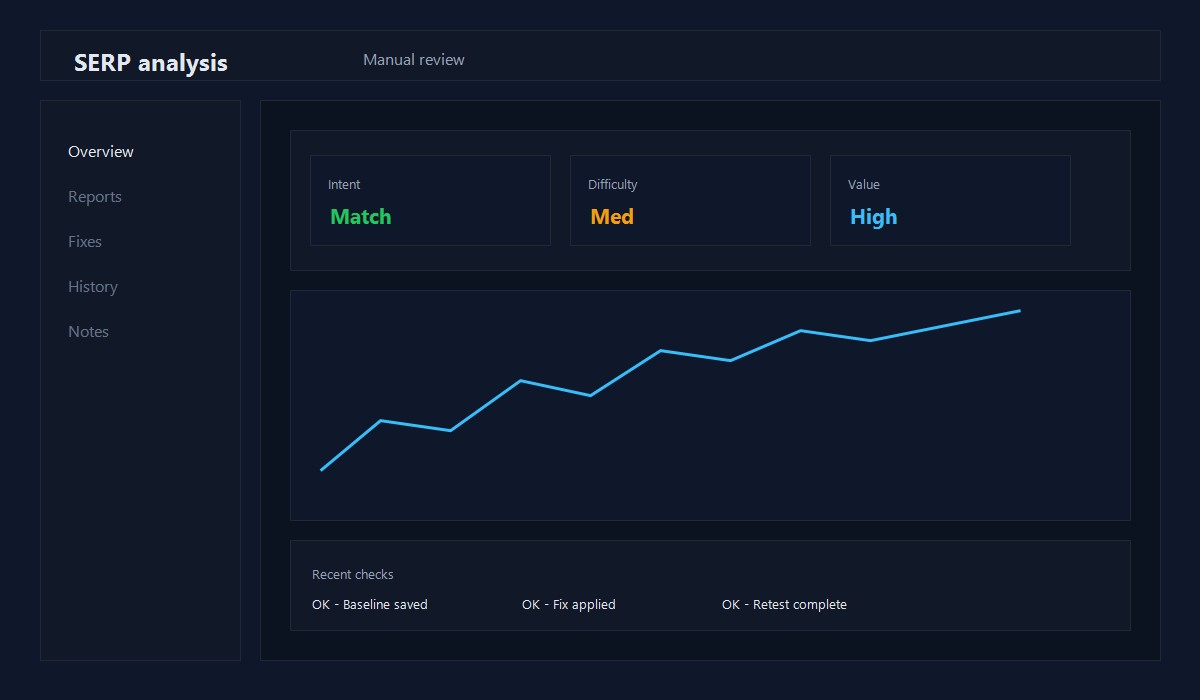
Illustration: SERP analysis worksheet summary.
Step 1: Build a seed list
Start with 10-20 topics you already write about. Use:
- Your categories and tags
- Common support questions
- Problems your readers mention in email or comments
Example seed list for a WordPress blog:
- WordPress backup
- Speed up WordPress
- WordPress SEO checklist
- Plugin conflicts
- Image optimization
Step 2: Expand with free sources
- Google autosuggest
- Related searches at the bottom of the SERP
- "People also ask" questions
- Search Console queries (once you have data)
Write these down as raw topic ideas.
Step 3: Analyze the SERP manually
Click the top results and ask:
- Are the results how-to guides, tools, or lists?
- Do the pages look like mine or much bigger brands?
- Can I provide a clearer, more practical answer?
If you can improve on the current results, the topic is worth testing.
Step 4: Use a simple scoring sheet
Score each keyword from 1 to 5:
- Intent match: does it fit my audience?
- Difficulty: do the results look beatable?
- Value: does it lead to email signups or product interest?
- Depth: can I add real examples or screenshots?
Pick the keywords with the best total score, not just the highest volume.
Step 5: Map keywords to pages
Create a simple map so you avoid overlap:
- One primary keyword per page
- 2-4 supporting keywords per page
- Avoid publishing two pages with the same intent
This keeps your site focused and avoids keyword cannibalization.
Example keyword decision
Keyword: "how to manually migrate WordPress"
- Intent match: 5
- Difficulty: 3
- Value: 4
- Depth: 5
Total: 17. This is a good candidate because it needs a clear, step-by-step guide.
Common mistakes
- Choosing keywords only because the volume looks high
- Writing two posts for the same intent
- Skipping SERP analysis
- Publishing thin content without a clear angle
Quick checklist
- [ ] Seed list created
- [ ] SERP checked for every target keyword
- [ ] One primary keyword per post
- [ ] Supporting terms mapped
- [ ] Intent answered in the first 150 words
Simple scoring sheet you can reuse
Score each topic from 1 to 5:
- Intent match (fits your audience)
- Difficulty (can you compete?)
- Value (leads to signups or revenue)
- Depth (can you add examples?)
Pick the highest total, not the highest volume.
Example keyword map
- Pillar: WordPress performance
- Support: image optimization
- Support: caching basics
- Support: Core Web Vitals quick wins
This prevents cannibalization and keeps your content focused.
Free tools stack
- Google autosuggest and related searches
- Search Console (once you have data)
- A simple spreadsheet for scoring
You do not need paid tools to start. Consistency beats complexity.
Difficulty signals to watch
- Big brands dominate the top 3 results
- The top results are long, detailed guides
- The SERP has videos or tools instead of articles
If the SERP is stacked, pick a narrower topic.
Content brief template
- Primary keyword
- Search intent (informational, transactional)
- 3 supporting keywords
- Top 3 competitor angles
- One original example to include
Funnel mapping (simple)
- Top: broad how-to questions
- Middle: comparisons and tool choices
- Bottom: setup checklists and troubleshooting
This keeps your topics balanced.
SERP snapshot checklist
Before writing, capture these notes:
- Top 3 angles used by competitors
- Content format (list, how-to, tool)
- Missing step or gap you can fill
This turns a keyword into a more useful article.
Map to a content cluster
Every keyword should connect to a pillar page and at least one related support post. This improves topical authority over time.
Low volume, high intent rule
A small keyword can still be valuable if:
- The intent is clear and actionable
- The audience is a good fit
- You can add unique examples
These terms often rank faster and drive better engagement.
Publish decision checklist
- I can answer the query in 1-2 sentences
- I have at least one real example
- The SERP is not dominated by giant brands
If all three are true, publish it.
Common mistakes
- Chasing volume without intent
- Writing two posts for the same keyword
- Skipping the SERP check
Avoid these and your content will rank faster.
Quick recap
- Pick intent-first topics
- Validate the SERP
- Map keywords to a pillar
This keeps content focused and rankable.
Original insight you can replicate
Example you can run on one existing post:
- Rewrite the first 120 words to answer the query directly.
- Add 2-3 internal links to related guides and update the title for clarity.
- Track impressions and CTR for 14 days in Search Console.
Decision rule: If CTR improves without losing impressions, roll the same pattern across similar posts.
FAQ
Do I need keyword volume numbers?
Not always. If your site is small, intent match and clarity matter more.
How many keywords should a post target?
One main topic, plus a few supporting phrases.
How long does it take to see results?
For new sites, expect weeks or months. Focus on consistency.
To plan topic coverage, see Topical authority content clusters.
Editorial note
This guide is reviewed by the WPThemeLabs editorial team and updated as tools and best practices change. See our editorial policy for how we research and maintain content.
Related Posts